
3 powerful resources pre-built and ready: calendar, form and a full website.
No starting from scratch. Everything you need is already in your account.

Not a video person? Follow the textual version below:
One of the most common frustrations with any new platform is starting from scratch.
A blank canvas sounds appealing in theory, but in practice, it means spending hours building things that should have been ready from day one.
Money Machine eliminates that problem.
Inside your account, you will find a collection of pre-built templates, resources, and bonuses that have been specifically designed for service-based businesses.
A fully built website, A ready-to-use appointment booking calendar, A pre-configured lead capture form, Everything is already there, waiting for you to personalize it and make it your own.
This issue walks you through everything that has been pre-loaded into your account, what it is, where to find it, and what you will do with it as you move through the setup process.
What Has Been Pre-Loaded Into Your Account:
There are three core items that have been built and loaded into every new Money Machine account.
Each one is designed to save you significant time and get you operational faster than building from scratch.
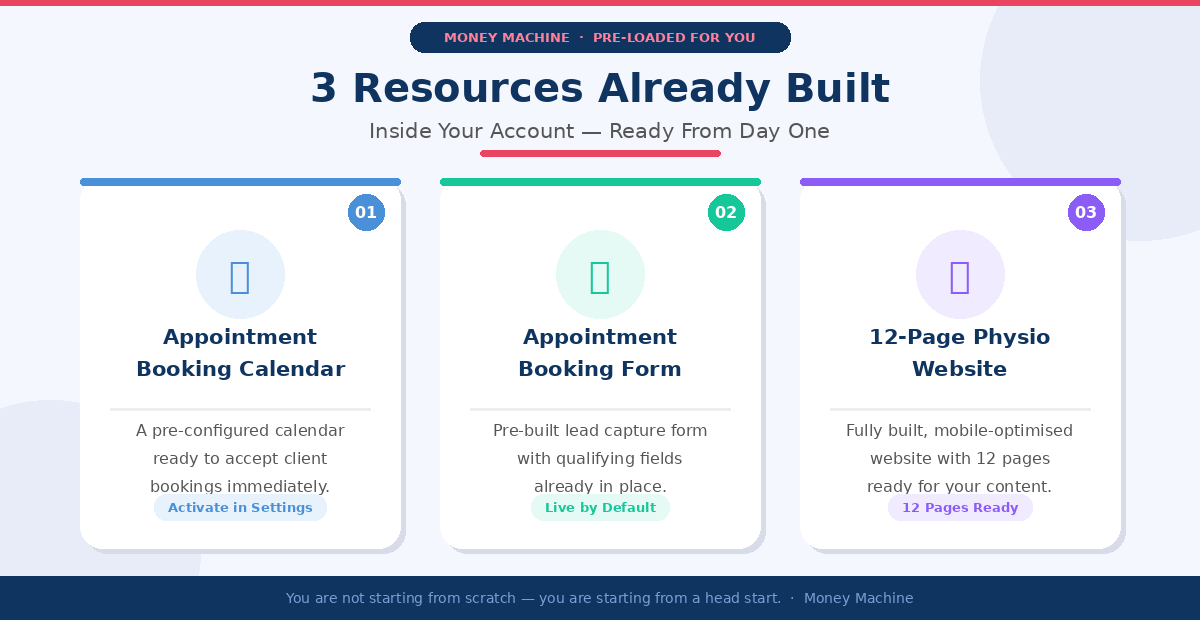
1. Pre-Loaded Resource: Appointment Booking Calendar:
The first pre-loaded resource is your appointment booking calendar.
This is the calendar that clients will use to schedule appointments with you directly, no back-and-forth emails, no manual booking coordination.
Once activated, it handles the entire booking process automatically.
Where to Find It:
Navigate to Calendars in the left sidebar of your Money Machine dashboard, then click on Calendar Settings.
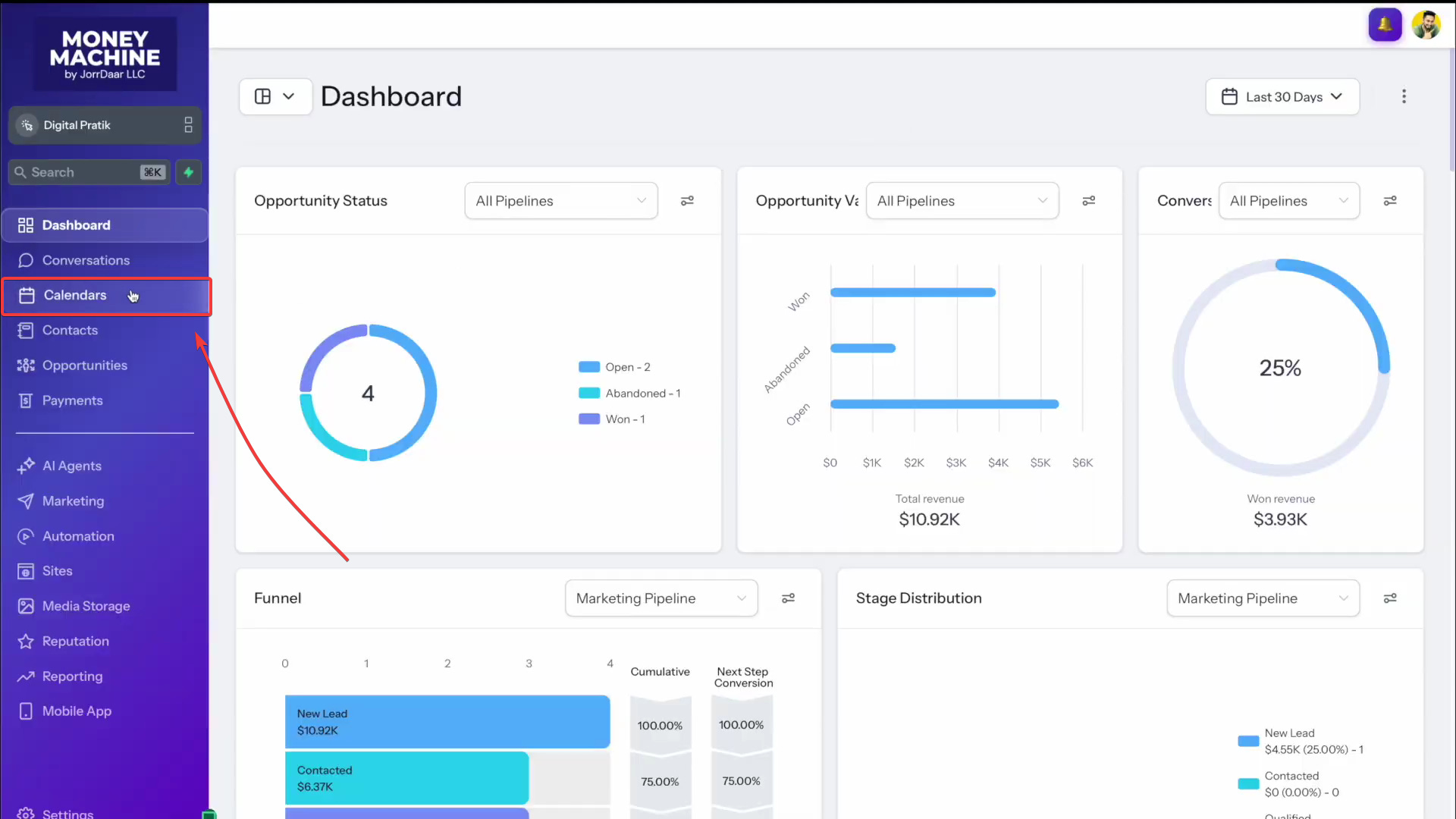
You will see a calendar listed there called Appointment Booking Calendar by Jorrdaar LLC. By default, it will show as inactive.
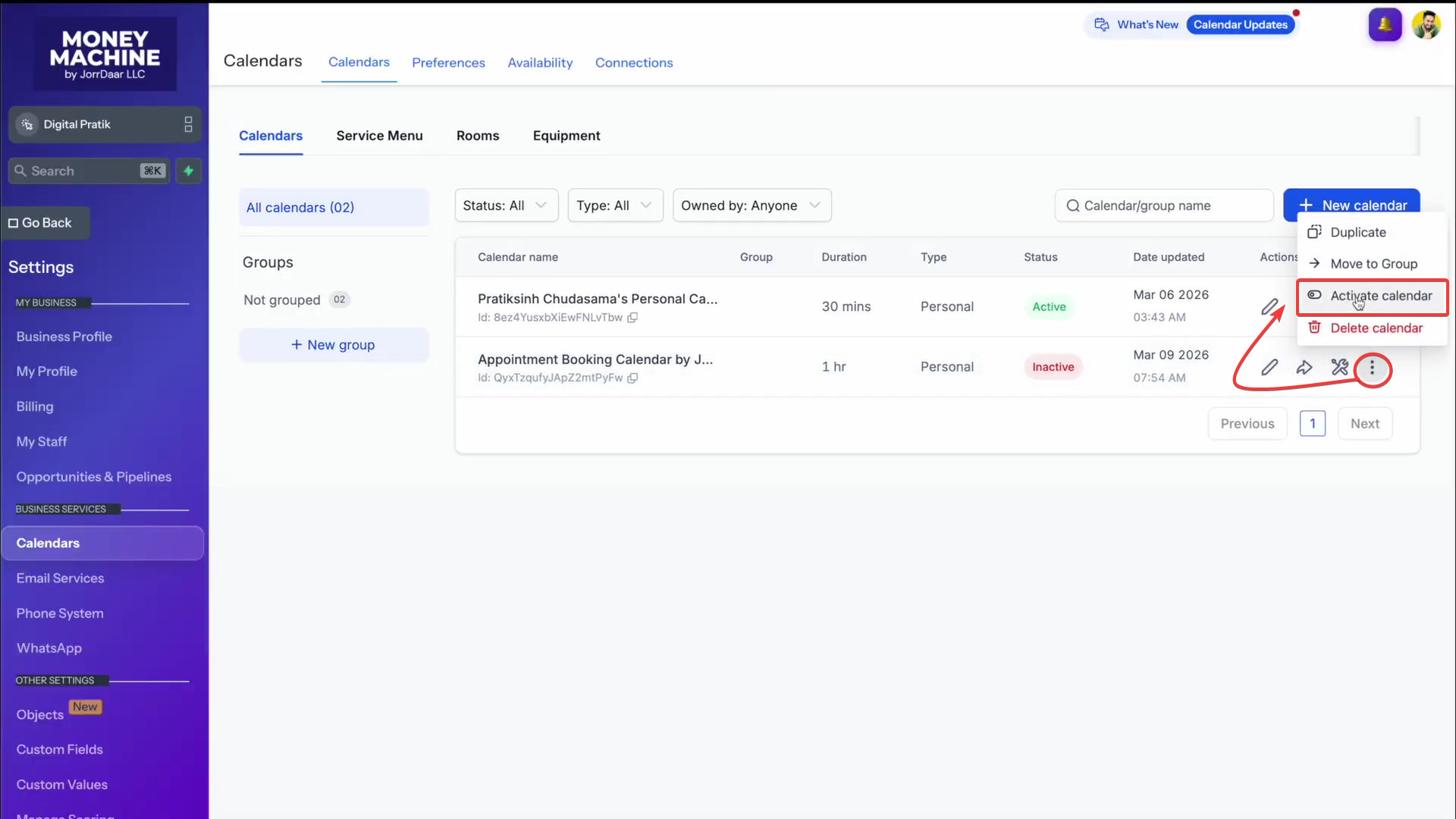
Activating the calendar takes less than thirty seconds. Here is all you need to do:
Click the settings icon next to the Appointment Booking Calendar.
Click Activate Calendar.
Click Save.
That is it. Your calendar is now active and ready to accept bookings.
2. Pre-Loaded Resource: Appointment Booking Form:
The second pre-loaded resource is an appointment booking form.
This form is what potential clients fill in before booking with you.
It collects their basic details and helps you understand their situation before the appointment takes place.
Unlike the calendar, this form does not need to be activated. It is live and ready to use from the moment you log in.
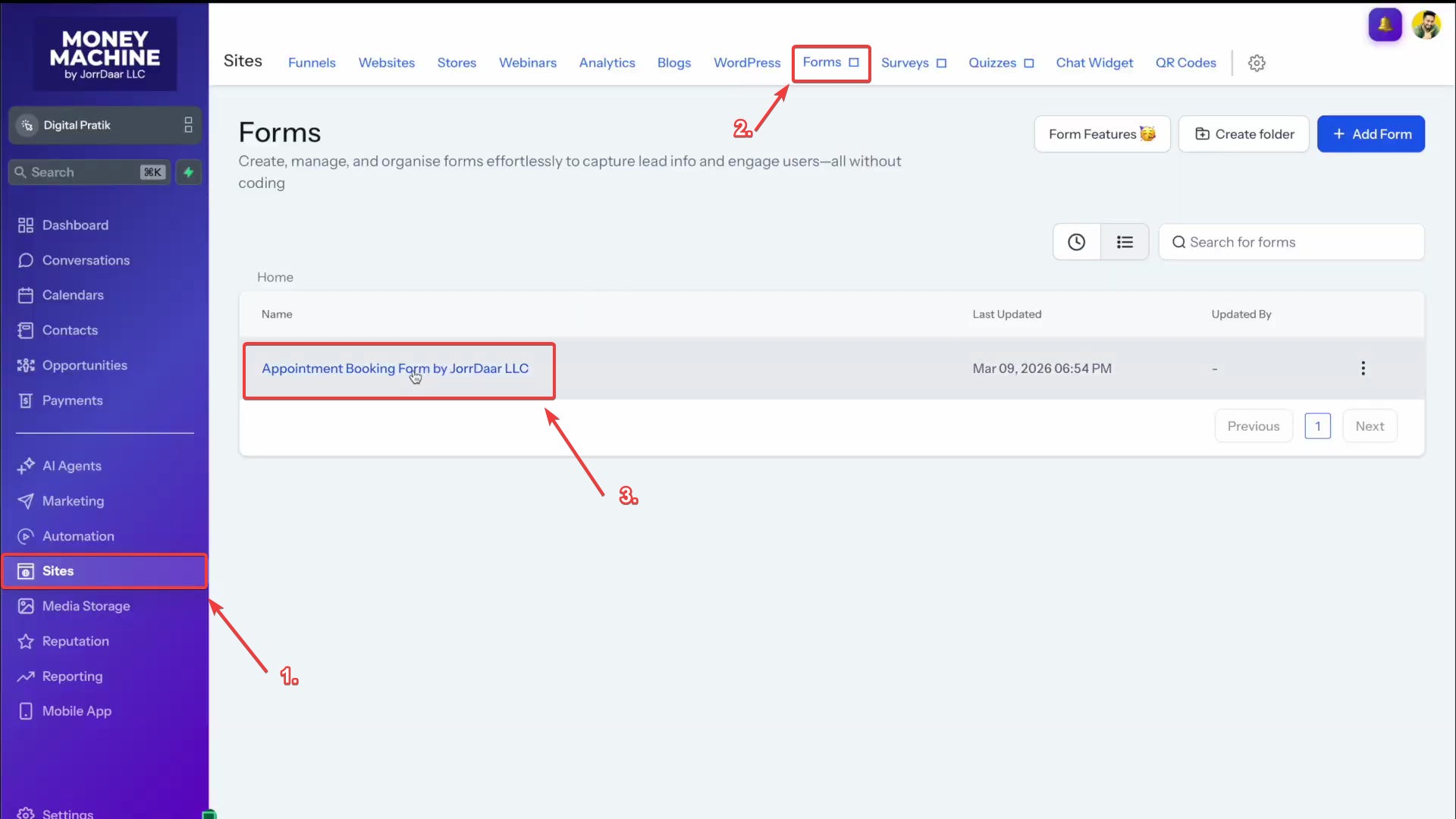
From the left sidebar, navigate to Sites and then click on Forms.
You will find the Appointment Booking Form by Jordar LLC listed there. Click on it to open and view the form.
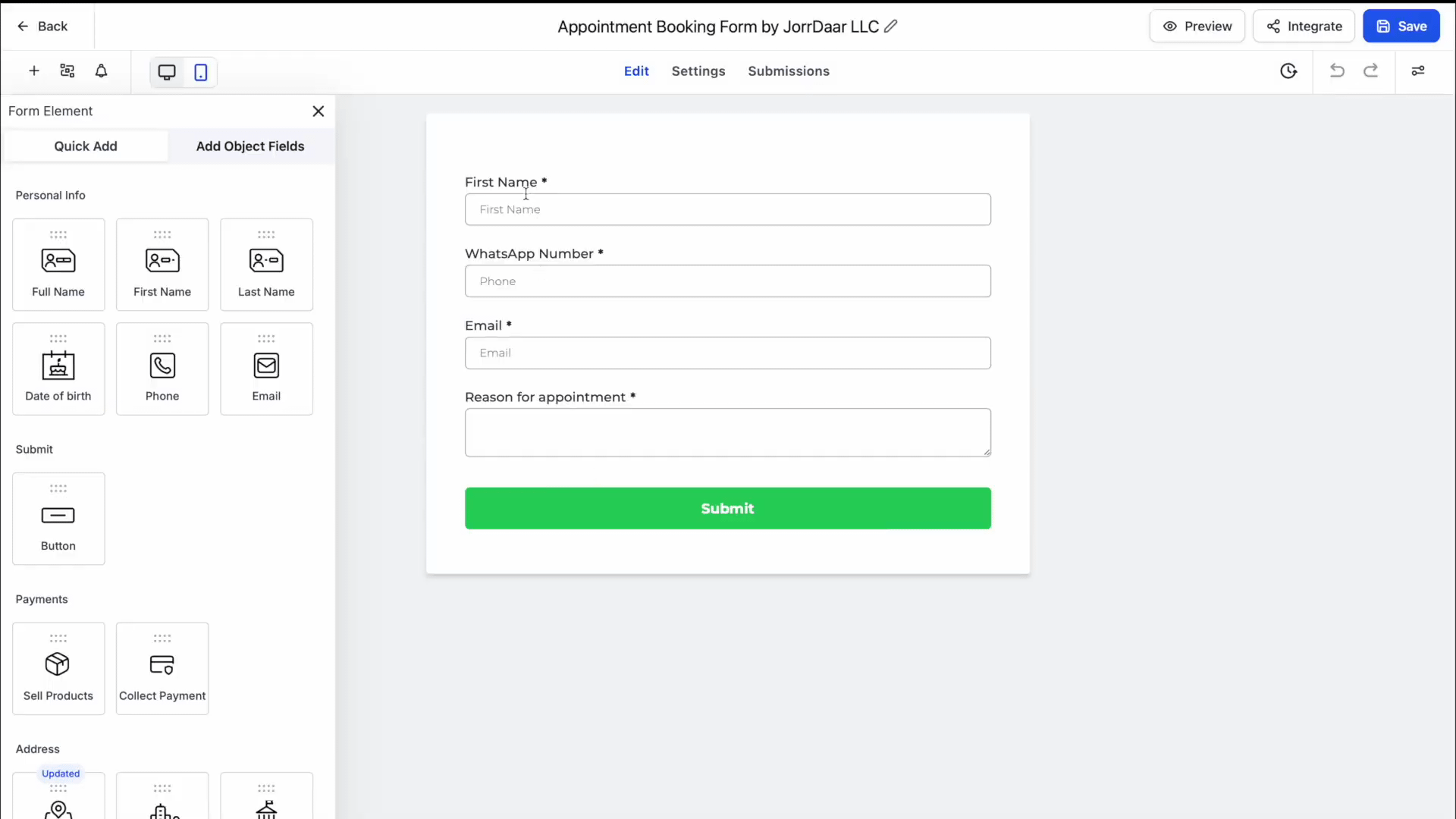
The form has been pre-built with the essential fields that most service businesses need to qualify leads and prepare for appointments. Out of the box, it includes:
First name
WhatsApp number
Email address
Reason for appointment
3. Pre-Loaded Resource: Your 12-Page Website:
The third pre-loaded resource is the most substantial of the three, a fully built, 12-page website designed.
This is not a basic template with placeholder boxes.
It is a complete, professionally designed website that is mobile-optimized and ready for your content.
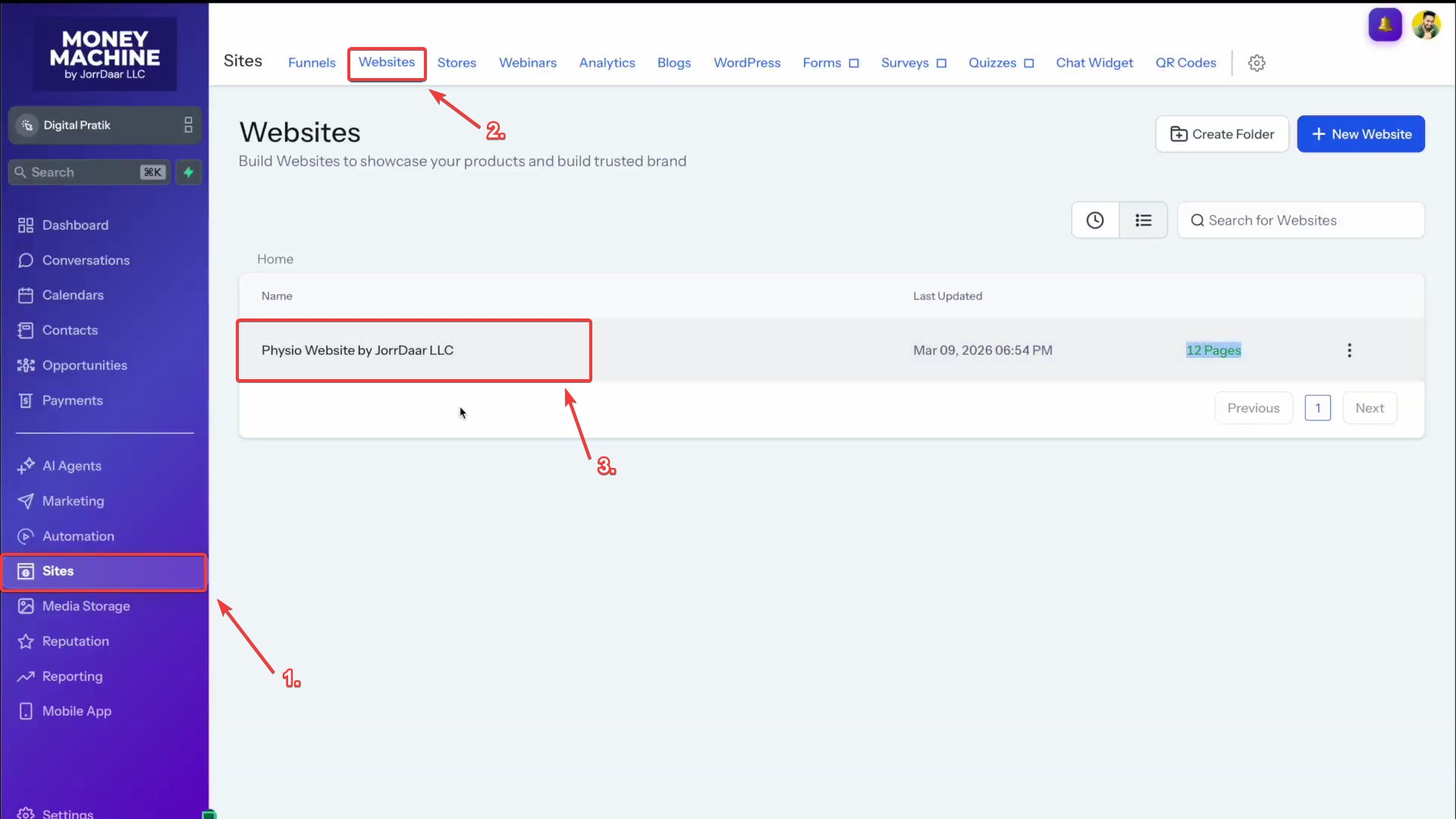
From the left sidebar, navigate to Sites and then click on Websites. You will see the Physio Website by Jordar LLC listed there. Click on it to open the website overview.
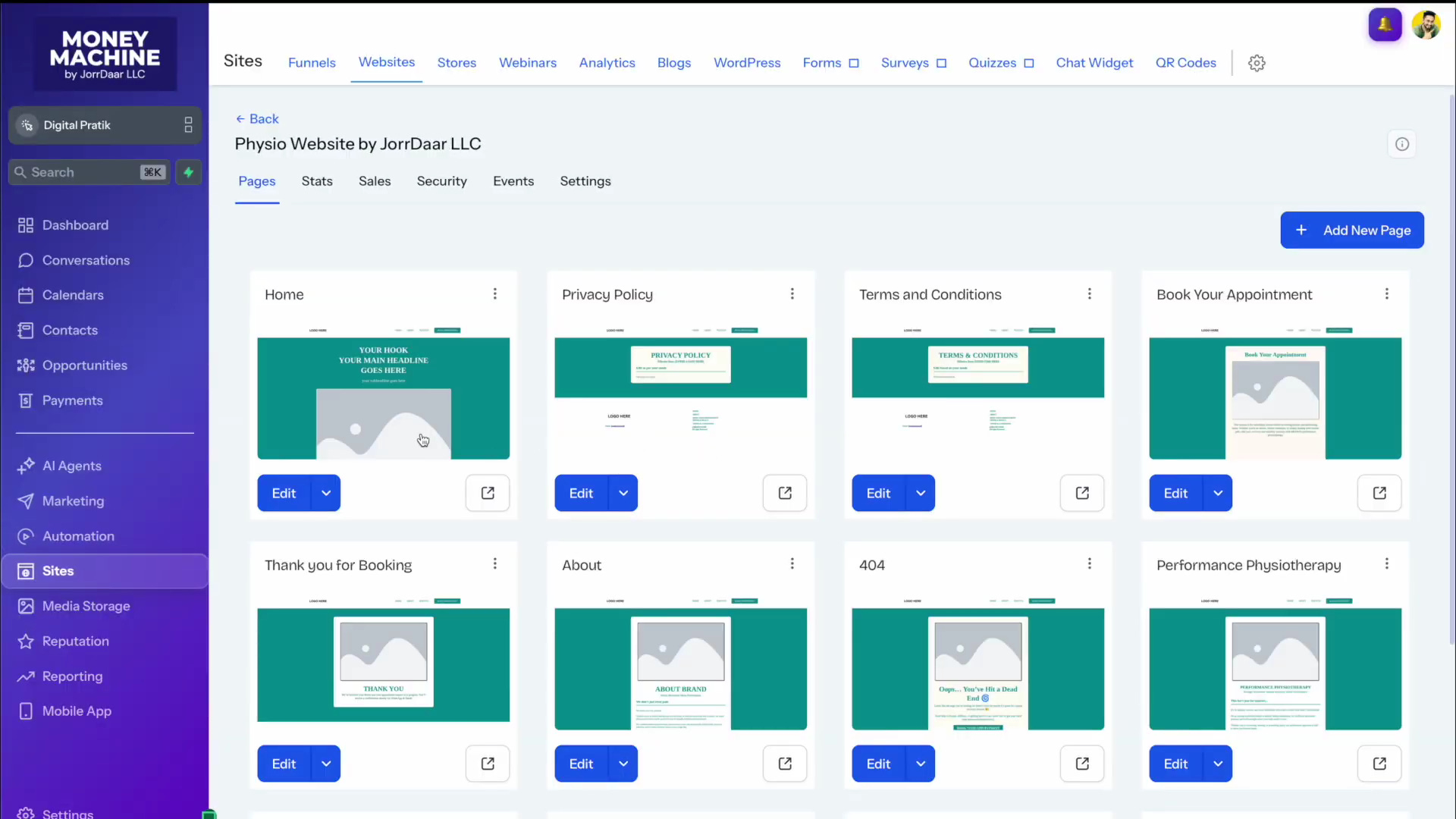
Inside the website, you will find 12 complete pages, all designed, structured, and ready for your content. Here is what has been built:
Every single one of these pages is mobile-optimized.
Given that the vast majority of web traffic today comes from mobile devices, this is not a feature; it is a necessity.
The website has been built with mobile performance as a priority from the ground up.
Everything you see, images, text, logos, service descriptions, pricing, is placeholder content that you will replace with your own business details.

Now that you know what has been pre-loaded and where to find everything, the next series of issues will take you through each resource in detail.
Take a moment to explore each of the three resources inside your account before the next issue arrives, get familiar with what is there, but resist the urge to start editing until the step-by-step guides walk you through it properly.
As always, if you have questions or run into anything unexpected, reach out to the team at team@jorrdaarllc.com and we will help you get sorted.